
Master AI Comic Prompts: Your Guide to Text-to-Comic Generation with Comic Generator
Unlock the full power of AI comic creation. Are you tired of generic, uninspired results from your story ideas? The secret to transforming a simple line of text into a stunning visual narrative lies in the art of the prompt. This guide will teach you how to masterfully command an ai comic generator, turning your words into the precise comic panels you envision. If you've ever wondered how do i make a comic strip? without any drawing skills, you're in the right place. We'll turn Comic Generator into your ultimate artistic assistant, ready to bring your most creative stories to life. Get ready to explore the techniques that separate amateur efforts from professional-quality AI comics on our online comic maker.
Mastering Your Input: How to Write for AI Comics
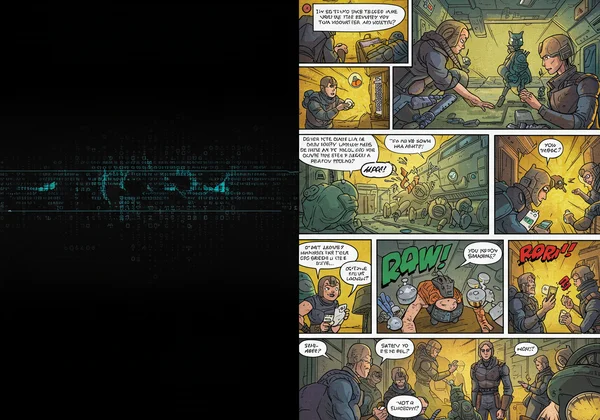
The quality of your AI-generated comic is directly tied to the quality of your input. The old tech adage, "garbage in, garbage out," has never been more relevant. A vague prompt will yield a vague image, but a detailed, descriptive prompt will produce a rich, compelling comic panel that tells your story effectively. Think of yourself not just as a writer, but as a director, set designer, and choreographer, providing the AI with a complete blueprint for each scene.
Crafting Vivid Characters and Settings
To create a world that feels alive, you must paint a picture with your words. Instead of simply naming your character, describe them. What are they wearing? What expression is on their face? The same goes for the environment. These character details for ai comics and instructions for setting the scene in ai comics are the foundational elements that give your story context and atmosphere.
- Vague Prompt: "A detective in the city."
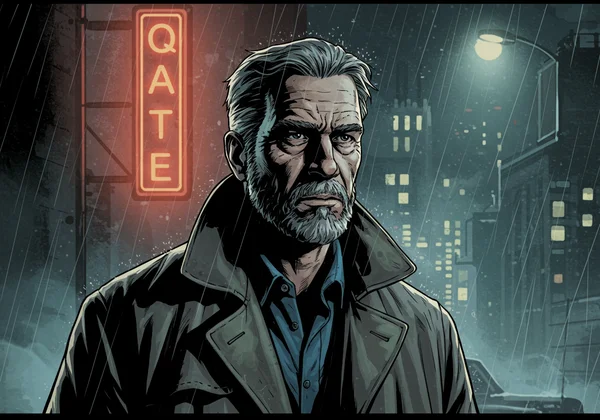
- Detailed Prompt: "A grizzled detective in a worn-out trench coat, collar pulled up against the biting rain. He stands under a flickering neon sign on a grimy, rain-slicked city street at midnight, his face half-hidden in shadow."
The second prompt gives the AI specific details to work with: the character's appearance ("grizzled," "worn-out trench coat"), the weather ("biting rain"), the lighting ("flickering neon sign," "half-hidden in shadow"), and the time of day. This level of detail ensures a far more evocative and professional-looking result when you create comics from text.
Directing Action and Emotion with Precision
Comics are a dynamic medium, driven by action and emotion. Your prompts should reflect this. Use strong, specific action verbs for comics to guide the movement within the panel. Don't just say a character is sad; describe the physical manifestation of that emotion in comic panels. Is their head bowed? Are tears streaming down their face? This precision allows the AI to capture the heart of your narrative moment.
- Vague Prompt: "The hero fights the villain."
- Detailed Prompt: "The hero lunges forward, right fist crackling with blue energy, a determined grimace on their face as they clash with the sneering, shadowy villain who parries the blow with a glowing red sword."
This improved prompt defines the action ("lunges forward," "clash"), the visual effects ("crackling with blue energy," "glowing red sword"), and the emotions of the characters ("determined grimace," "sneering"). This level of command is what makes a great comic strip generator truly shine.
Advanced AI Comic Prompt Techniques & Tips
Once you've mastered the basics of description, you can elevate your comics by thinking like a cinematographer. The following advanced techniques give you even more control over the final output, allowing you to create comics with a truly professional feel. These comic generator tips are designed to unlock the full potential of AI-driven storytelling.
Utilizing Camera Angles and Panel Perspectives
The "camera angle" is one of the most powerful tools in visual storytelling. It dictates the audience's perspective and can dramatically alter the mood of a scene. By specifying shots, you can make a character seem powerful, vulnerable, or mysterious. Experimenting with camera angles in comic strips is a key skill for advanced AI comic creation.
-
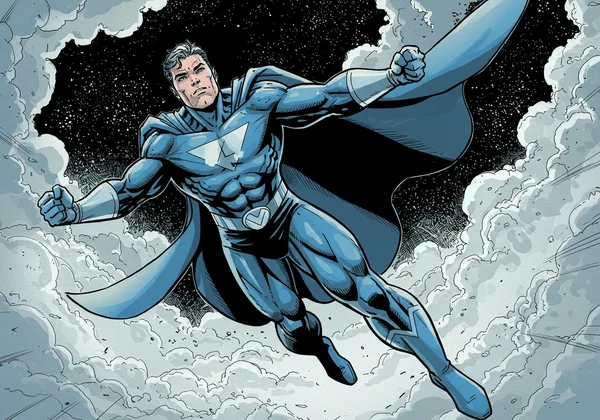
Low-Angle Shot: "Low-angle shot of the towering superhero, looking down heroically, with clouds swirling behind them." (Makes the subject look powerful and dominant).
-
High-Angle Shot: "High-angle shot looking down at the small, scared child huddled in the corner of a dark room." (Makes the subject look small and vulnerable).
-
Close-Up: "Extreme close-up on the villain's eye, reflecting a city in flames." (Creates intimacy and intensity).
-
Wide Shot: "Wide shot of a lone spaceship flying through a vast, colorful nebula." (Establishes the setting and scale).
Integrating Dynamic Dialogue and Sound Effects
A silent comic is only half the story. To make your world come alive, you need to incorporate dialogue and sounds. You can guide the AI to include these elements directly within your prompt. Clearly specifying dialogue bubbles ai comics and sound effects in comic panels adds another layer of immersion and professionalism to your work.
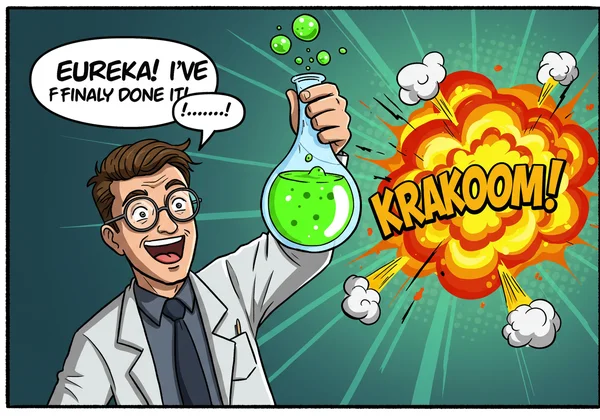
- Dialogue Prompt: "A man with glasses and a lab coat excitedly holds up a bubbling potion. A speech bubble above his head reads: 'Eureka! I've finally done it!'"
- Sound Effect Prompt: "A massive robot's fist smashes into a brick wall. The explosive sound effect 'KRAKOOM!' fills the panel in jagged, yellow letters."
By including these instructions, you tell the AI not only what to draw but also what text and auditory cues to incorporate, making your comic more complete right from the first generation.
From Prompt to Panel: A Practical Text-to-Comic Guide
Let's put all this theory into practice. This text to comic guide will walk you through a clear example, showing how a refined prompt leads to a vastly superior comic panel. The goal is to move from a simple idea to a fully realized visual scene.
"Before & After": Learning from Prompt Examples
Seeing the difference firsthand is the best way to learn. Here are some effective prompt examples that illustrate the power of detail and direction.
Before Prompt:
"A wizard is casting a spell."
- Expected Result: A generic image of a wizard, possibly holding a staff or a book, with some vague magical effect. It lacks story, emotion, and context.
After Prompt:
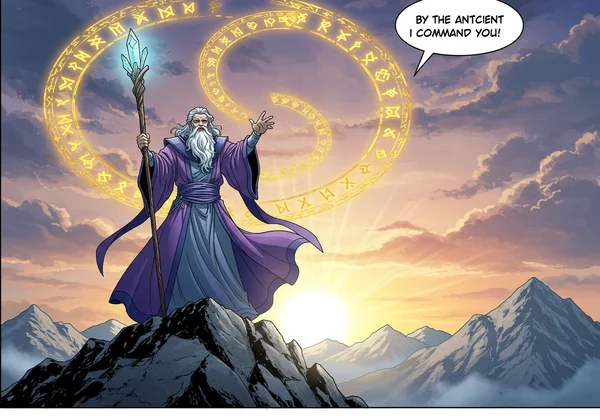
"Panel 1: An ancient, white-bearded wizard in flowing purple robes stands on a mountain peak at sunrise. He raises a glowing crystal staff to the sky as intricate golden runes circle around him. Low-angle shot, making him look powerful. A speech bubble says, 'By the ancient sun, I command you!'"
- Expected Result: A dynamic and epic scene. The AI has clear instructions on the character's appearance, clothing, location, time of day, specific action, visual effects, camera angle, and dialogue. This is how you start creating comics that tell a real story.
Iterate & Elevate: Refining Your AI-Generated Comics
Your first attempt won't always be perfect, and that's a core part of the creative process. True mastery comes from prompt revision. If an image doesn't quite match your vision, don't discard it. Analyze what's missing and refine your prompt.
Maybe the character's expression isn't quite right. Add an emotional descriptor like "with a look of fierce concentration." Perhaps the background is too plain. Add "with a stormy, dark sky looming behind him." The process of refining ai comic output is a dialogue between you and the AI. Each regeneration gets you closer to the perfect panel. On Comic Generator, you can easily tweak your text, select a different comic style, and regenerate in seconds to perfect your vision.
Unlock Your AI Comic Potential Today
You now have the knowledge to transform your text prompts from simple requests into powerful, directorial commands. By being descriptive, specific, and intentional with your character details, actions, camera angles, and dialogue, you can elevate your AI-generated comics to a new level. The only limit is your imagination.
Are you ready to stop being a passive user and start being a creative director? Take these techniques and apply them. Go beyond the basics and craft the stunning, dynamic comics you've always dreamed of. Visit the best comic generator and start bringing your most ambitious stories to life today! Let us know your favorite prompt tips in the comments below.
Frequently Asked Questions About AI Comic Prompts
Can AI generate comics effectively with detailed prompts?
Yes, absolutely. As this guide demonstrates, the level of detail in your prompt is the single most important factor for success. AI comic generators thrive on specific information. The more you provide about characters, settings, actions, and camera angles, the more accurately the AI can render your vision into a compelling comic panel.
What are the best tips for generating comics from text?
The best tips are to think like a director. Be specific about who is in the scene, where it takes place, and what they are doing. Use strong action verbs, describe emotions, and specify camera perspectives (like close-up or wide shot). Finally, don't be afraid to iterate and refine your prompts to perfect the final image.
How do I add dialogue bubbles and text in AI comics?
You can add dialogue and sound effects by including instructions directly in your prompt. For example, state: "A speech bubble above the character reads: 'Let's go!'" or "The sound effect 'BOOM!' is written in large red letters." Our tool is designed to interpret these text-based commands and incorporate them visually into the comic panel.
Is Comic Generator free to use for creating comics from text?
Yes! Comic Generator is a fantastic tool that allows you to get started for free. It’s the perfect platform to practice these advanced prompting techniques and see how your stories can be transformed into amazing visual art without any cost. Try our free tool and begin your comic creation journey now