
Comic Generator Guide: From Idea to Publication with AI
The journey from a simple concept to a fully published comic can seem overwhelming for aspiring creators. Many people have amazing stories in their heads but lack the drawing skills to put them on paper. Have you ever wondered if you could create a professional comic without years of art school? Now, you can absolutely create professional comics without formal art training.
With the right tools and approach, anyone can bring their stories to life. This comprehensive guide walks you through the entire comic creation process. We'll show you how to use an AI comic maker online to transform your ideas into publishable comics step by step. From the first spark of an idea to the final export, the world of visual storytelling is now open to everyone.
Using a modern ai comic generator simplifies the technical hurdles. You no longer need to worry about complex software or expensive drawing tablets. Instead, you can focus on what matters most: your story and your characters. Let’s dive into how you can start your creative journey today.
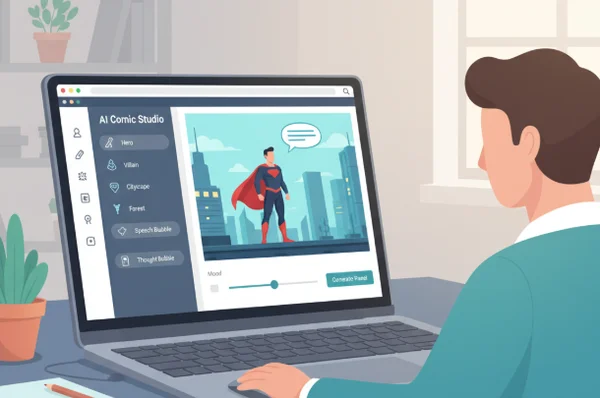
Planning Your Comic Story with Comic Generator
Every great comic begins with a solid foundation. Before you open any software, you need a clear vision of what you want to create. Planning saves time and ensures your final project feels cohesive and professional. It is the most important phase for any complete comic creation guide.
Brainstorming Compelling Comic Ideas
Coming up with a fresh idea is often the hardest part of the process. To start, think about the genres you enjoy reading. Do you like science fiction, slice-of-life comedy, or epic superhero battles? Write down three simple premises that excite you. Don't worry about being perfect; just get your thoughts on paper.
Another great way to find inspiration is to look at everyday situations. A funny conversation at a coffee shop or a strange dream can become the basis for a viral comic strip. If you feel stuck, you can generate ideas by describing a basic scenario to an AI tool. This helps you break through creative blocks and find a unique angle for your narrative.
Developing Your Comic Script and Narrative Structure
Once you have an idea, you need a script. Unlike novels, comic scripts focus on visual actions and dialogue. Break your story into "beats" or major events. For a short comic strip, you might only need three or four beats. For a longer book, you should plan out chapters.
Keep your descriptions clear and concise. If you are using a tool like Comic Generator, remember that you can input up to 3000 characters of story text. This is plenty of space to describe your scenes in detail. Focus on the "Who, What, Where, and Why" of each panel to ensure the AI understands your vision.
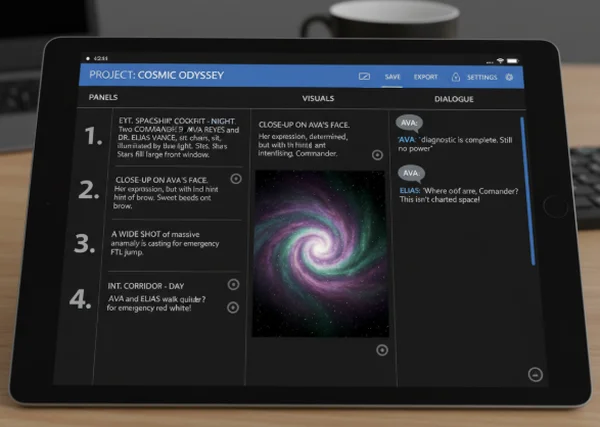
Designing Characters with Comic Generator Tools
Visual design is the heart of the comic medium. Your characters need to be recognizable and fit the world you are building. This is where your story starts to take a physical form.
Creating Consistent Character Designs
Consistency is the biggest challenge in comic creation. You want your main character to look the same on page one as they do on page ten. To achieve this, describe your character’s physical traits clearly. Use specific keywords like "blue eyes," "messy red hair," or "wearing a yellow raincoat."
When you make a comic, providing a detailed prompt helps the AI maintain this visual identity. It is helpful to create a "character sheet" in your notes. This sheet should list all the visual details you use in your prompts so you can copy and paste them for every new panel. This ensures your readers never get confused about who is who.
Selecting the Right Comic Style for Your Story
The art style sets the mood for your entire project. A dark, gritty "Noir" style works well for detective stories, while a bright "Anime" or "3D" style is perfect for action and adventure. Choosing the right style is a key part of the comic creation workflow.
Modern tools allow you to toggle between various artistic presets. For example, if you want to create something humorous, you might choose a "Gag" or "Comic Strip" style. If you want something more dramatic, a "Superhero" or "Cine" style might be better. Experimenting with different styles helps you see which one brings out the best in your narrative.

Building Your Comic with Panel Layouts
Layouts determine how your reader moves through the story. The arrangement of frames on a page can build tension, provide a sense of time, or highlight a dramatic moment.
Understanding Comic Panel Fundamentals
Most comics use a grid system. A standard layout might have three or four panels per page. Smaller panels are usually used for quick actions or dialogue, while larger panels are used for big "reveal" moments or beautiful landscapes.
When you start your project, you can choose from various layouts. For a simple daily comic, a 4-grid layout is classic. If you are making a longer graphic novel, you might want more variety. Understanding these basics allows you to guide the reader’s eye naturally from the top-left to the bottom-right of the page.
Advanced Panel Techniques for Dynamic Storytelling
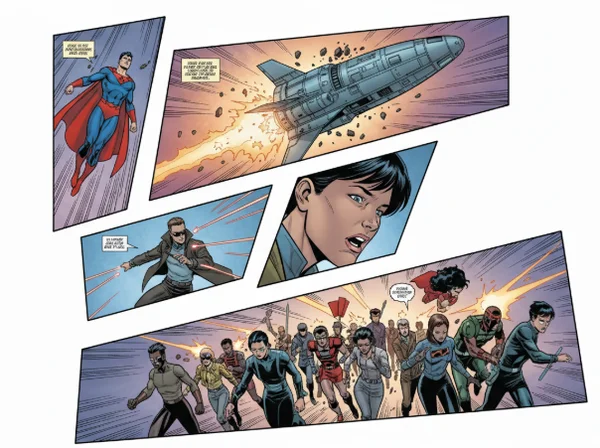
If you want your comic to stand out, look for "dynamic" layouts. These include diagonal splits and overlapping frames. Diagonal panels create a sense of motion and excitement, which is perfect for fight scenes or chase sequences.
The best tools offer layouts that go beyond simple squares. By using a 24-panel grid or special diagonal cuts, you can create a professional-looking page that rivals traditional comic books. This level of customization allows you to match the visual energy of your art to the intensity of your story.
Adding Dialogue and Text Elements
Comics are a blend of art and words. How you present your text is just as important as the art itself. Effective dialogue drives the plot and gives your characters a voice.
Writing Effective Comic Dialogue
In a comic, "less is more." You have limited space in each panel, so your dialogue needs to be punchy. Avoid long paragraphs; instead, use short, impactful sentences. Read your dialogue out loud to see if it sounds natural.
Think about the "text density" of your page. If there is too much text, the art gets covered up. If there is too little, the story might feel empty. Finding the right balance is a skill that comes with practice, but it's essential for publishing AI-generated comics that people actually want to read.
Placing Text and Speech Bubbles Like a Pro
Speech bubbles are the classic way to show who is talking. Their placement should follow the natural reading order. Usually, the bubble for the first person who speaks should be the highest one in the panel.
Advanced AI tools allow you to toggle dialogue bubbles on or off. You can also adjust the "color intensity" of the bubbles to make them stand out or blend in with the art. If you prefer to do your own lettering, you can generate the art first and then use a graphic design tool to add custom bubbles later.
Refining and Finalizing Your Comic
Before you share your work with the world, you need to polish it. This stage is where you fix small errors and make sure the colors look exactly the way you want them to.
Polishing Your Comic with Color and Effects
Color can change the emotional impact of a scene. Warm colors like orange and red feel energetic or angry, while cool colors like blue and green feel calm or sad. You can adjust your settings to control the "color intensity" of your AI-generated images.
If a panel doesn't look quite right, regenerate it. Sometimes a small tweak to the prompt or a change in the color settings can make a huge difference. Take your time during this phase to ensure every panel meets your standards.
Quality Control Before Publication
Always proofread your comic. Check for spelling mistakes in your dialogue and look for visual glitches in the art. Does the character's hair change color accidentally? Is the background consistent with the previous panel?
It is often helpful to show your work to a friend before you publish. They might notice things you missed because you have been looking at the project for too long. A final "quality check" ensures that your audience has a smooth and enjoyable reading experience.
Publishing and Distributing Your Comic
You’ve done the hard work of creating. Now it’s time to show it to the world. Digital publishing has made it easier than ever to reach a global audience.
Exporting Your Comic for Different Platforms
Different websites require different file formats. For social media like Instagram, square panels or vertical layouts work best. For a professional printing service, you might need high-resolution files.
When you finish your work, you can download your comic easily. Make sure to save your work in a format that preserves the quality of the art. Having the right export options means you can share your story on webtoon platforms, blogs, or even print it out as a physical book.
Strategies for Sharing Your Published Comic
Promotion is the key to getting readers. Start by sharing "teasers" or single panels on social media to build excitement. Use relevant hashtags like #webcomics, #aiart, or #comiccreator to reach people who are interested in your genre.
Engagement is also important. Respond to comments and ask your readers what they think will happen next. Building a community around your work can turn a small project into a long-running series with a loyal following.
Your Comic Creation Journey Starts Here
Not long ago, creating comics meant spending years learning drawing techniques and investing in costly tools and software. Today, the barriers have vanished. Following this guide, you've discovered that creating great comics just needs your creativity and the right AI tools.
From brainstorming your first idea to exporting your final page, the process is now accessible to everyone. Whether you are an educator making a fun lesson or a hobbyist telling a personal story, the tools are at your fingertips. Why wait? You can try it now and see your characters come to life in seconds. Your journey from a simple idea to a published author starts with your very first panel.
The Takeaway
How long does it typically take to create a comic from start to finish?
With traditional methods, a single page could take days. However, using an online tool, you can go from an idea to a finished page in just a few minutes. The most time-consuming parts are now brainstorming and refining your story, rather than the drawing itself.
Can I create professional-quality comics without drawing skills?
Yes! Modern AI technology handles the artistic rendering for you. You act as the director and writer, choosing the style, layout, and descriptions. This allows people without traditional art backgrounds to produce high-quality visual content.
What file formats should I export my comic in for different platforms?
For most social media and web platforms, PNG or JPEG files are standard. If you are planning to print your comic, you should look for high-resolution options. Most users use the tool to download their creations in formats that are ready for immediate sharing.
How do I maintain character consistency throughout my comic?
The best way is to use very specific and repetitive descriptions in your prompts. Mention specific features like "round glasses," "a blue tie," or "a scar on the left cheek." Consistency is easier when you keep your character's visual "formula" the same for every panel you generate.
Is it possible to monetize comics created with AI tools?
Many creators use AI-generated comics for commercial purposes, such as marketing, social media content, or self-published books. Always check the terms of service of the tool you are using to ensure you have the rights to use the images for your specific commercial needs.